
You already know that when you select a cell with a date and drag the Auto Fill handle, Excel creates a series of sequential dates by adding one day each time. Did you know that you can control how many days are added?
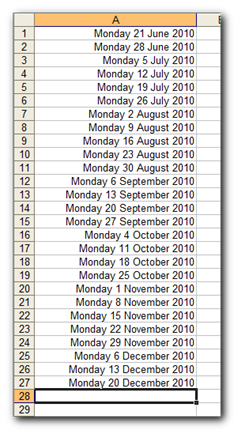
A list of all the Mondays until December
- Type two dates in two cells and select them. In this exemple, both dates are 7 days apart.
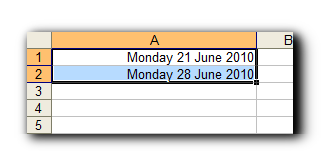
- Drag the Auto Fill handle. Excel creates a series of dates 7 days apart, as it identified the first dates to be.
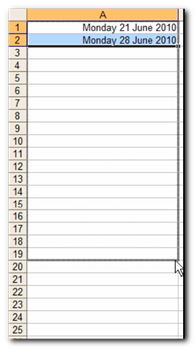
- When you release the Auto Fill handle, the series of dates has been created.


Video: Use Auto Fill with Dates (41 seconds)
Want to get more out of Excel? We run hands-on Excel training courses for teams, on-site or online, and build custom Excel solutions when you would rather hand the work over.


Wow this is a great resource.. I’m enjoying it.. good article
See also
https://www.businessbrains.ie/conditional-formatting-check-dates-sequential-order/