086 819 7027
  • Facebook
  • X
  • Instagram
  • RSS
  • Facebook
  • X
  • Instagram
  • RSS
Business Brains
Menu
  • Home
  • Services
    • Transform your business
      • e-Learning Development
        • Excel Development
      • Microsoft Project Development
      • SharePoint Development
      • Book a free consultation
    • Empower your team
      • Articulate 360 Training
      • Excel Training
      • Power BI Training
      • Power Pivot Training
      • SharePoint Training
      • Visio Training
      • Macros & VBA Training
      • Get a quote for training
    • Close
  • About Us
  • Contact
    • Book a free consultation
    • Get a quote for training
    • Contact Us
    • Close
  • Blog
    • Everything
    • Reviews
    • Articulate Storyline
    • Microsoft Access
    • Microsoft Excel
    • Microsoft Office
    • Microsoft Outlook
    • Microsoft Powerpoint
    • Microsoft Project
    • Microsoft Word
    • VBA and Macros
    • Close
Select Page

Checking that dates are in sequential order with Excel Conditional Formatting Formula

Question: I’m trying to figure out how to use conditional formatting to check if the date column is in sequential order and highlight a cell if it is not. Answer: Here is how you can create a conditional formatting rule which would highlight dates or numbers out...

No programming: Create an interactive spreadsheet with conditional formatting and amaze your boss / your client [Instant Productivity Free Tutorial]

Want to know the impact of changing one cell in your spreadsheet on the rest of your data? Want to create interactive scenarios but don’t have time to learn scenarios or programming? Create an interactive spreadsheet with simple conditional formatting and watch cells...

Recent posts

  • Build interactive Excel spreadsheets with developer tools28 March 2022
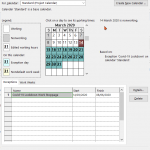
  • How to stop and restart your Microsoft Project schedule20 July 2020
  • Six elearning development characters
    Top Keyboard Shortcuts in Articulate Storyline5 November 2018
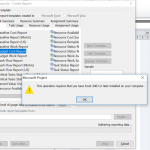
  • Fix Microsoft Project Error: ‘Excel 2003 or Later Required’22 June 2018
  • TOP 10 Keyboard Shortcuts for Excel Spreadsheets22 May 2018

Categories

  • Articulate Storyline
  • E-Learning
  • Geeky Fun
  • General
  • Microsoft
  • Microsoft Access
  • Microsoft Excel
  • Microsoft Office
  • Microsoft Outlook
  • Microsoft Powerpoint
  • Microsoft Project
  • Microsoft Word
  • News
  • Reviews
  • Testimonial
  • Uncategorized
  • VBA and Macros

Blog

  • Business Brains Blog
  • Articulate Storyline
  • Microsoft Access
  • Microsoft Excel
  • Microsoft Office
  • Microsoft Outlook
  • Microsoft Powerpoint
  • Microsoft Project
  • Microsoft Word
  • VBA and Macros

Recent Posts

  • Build interactive Excel spreadsheets with developer tools
  • How to stop and restart your Microsoft Project schedule
  • Top Keyboard Shortcuts in Articulate Storyline
  • Fix Microsoft Project Error: ‘Excel 2003 or Later Required’
  • TOP 10 Keyboard Shortcuts for Excel Spreadsheets

FAQ

Read the Training FAQ

Get in touch

Get in touch with us now to discuss how we can help implement training and improve the way you work.

1 Ardagh Park Road, Blackrock, Co. Dublin
Book a free consultation
Request a training quote
Contact us
+353 86 819 7027
[email protected]

Our Policies

  • Data Collection and NDAs
  • Terms & Conditions
  • Cookie Policy (EU)
  • Facebook
  • X
  • Instagram
  • RSS